When to use webhooks
Use webhooks for backend work such as:- granting or revoking server-side credits
- syncing subscription state into your own user table
- sending lifecycle emails or CRM events
- unlocking backend-only premium resources
- reconciling refunds, billing issues, grace periods, and renewals
CustomerInfo from the SDK, and backend routes should call AppActor with a secret key when they need synchronous access decisions.
Setup path
- Create an HTTPS endpoint on your backend.
- Configure the app-level webhook URL and secret for the AppActor app.
- Verify the
X-AppActor-Signatureheader before trusting the payload. - Store
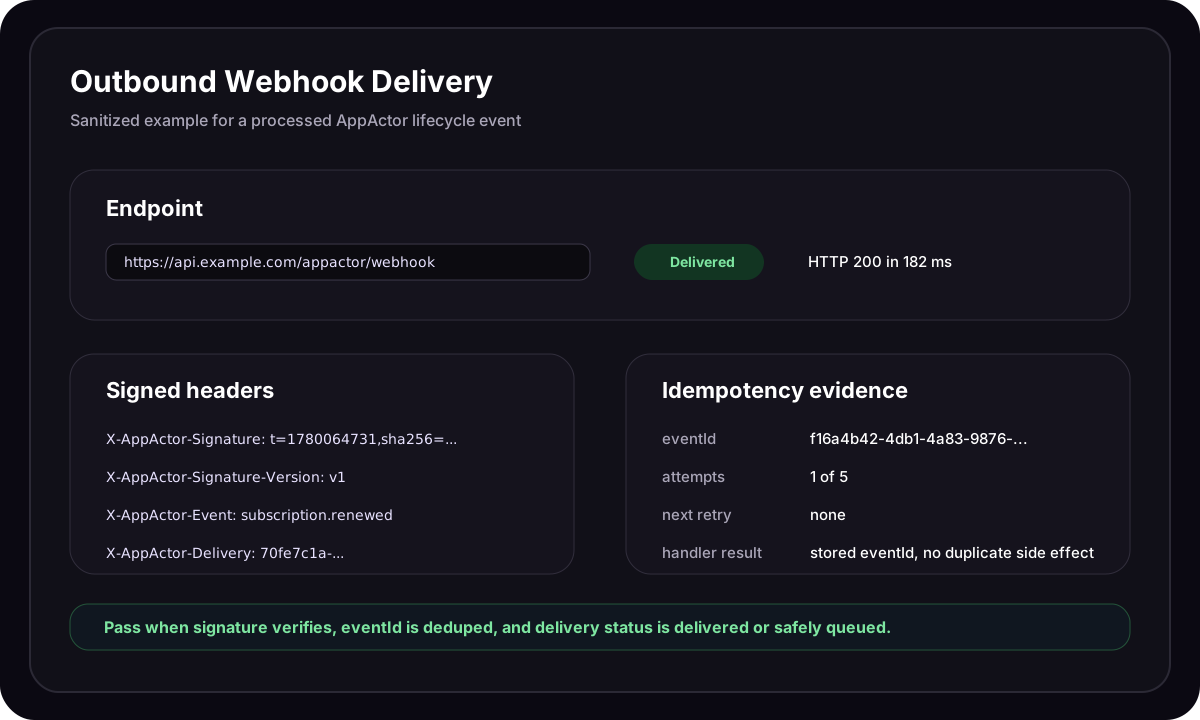
eventIdorX-AppActor-Deliveryto make processing idempotent. - Return a
2xxresponse only after your handler has durably accepted the event. - Test with sandbox purchases, renewals, cancellations, refunds, billing retry, and replayed deliveries.
App-level signed webhooks receive processed lifecycle events for the app. Event-type filtering belongs to integration connections; app-level signed webhooks are the signed backend callback path documented on this page.
Payload shape
Every delivery uses this envelope:Webhook payload
data object contains the normalized store event plus AppActor processing fields, and it depends on the event type. Treat the top-level eventType, eventId, and createdAt fields as the stable delivery envelope, then version your own handler around the fields you consume inside data.
Headers
Verify signatures
AppActor signstimestamp + "." + rawRequestBody with HMAC-SHA256 and your webhook secret.
Node.js
Retries and idempotency
AppActor delivery jobs run up to 5 attempts. Failed attempts are retried with this backoff schedule:
The retry policy also has a 2-hour fallback delay if the delivery attempt limit is extended later.
A delivery is considered successful when your endpoint returns a
2xx response. Network errors, timeouts, private-network resolution, and non-2xx responses are treated as failures.
Make your handler idempotent:
- store
eventIdfor lifecycle idempotency - store
X-AppActor-Deliveryfor delivery-attempt debugging - do not grant credits twice if the same
eventIdis delivered again - return
2xxafter your job is safely queued if downstream work is asynchronous - return non-
2xxonly when you want AppActor to retry
Delivery troubleshooting
Common event types
The AppActor event name is the normalized lifecycle type. Store-specific Apple notification types and Google RTDN notification numbers are visible in raw event details, but your webhook handler should branch on the normalized AppActor event type.
Test before launch
Before production, verify:- Apple test notification is healthy for iOS apps.
- Google RTDN test notification is healthy for Android apps.
- A sandbox purchase creates a customer, transaction, and active entitlement.
- Your webhook endpoint receives
subscription.purchasedorpurchase.completed. - Your handler verifies
X-AppActor-Signature. - Duplicate delivery of the same
eventIddoes not duplicate side effects. - Refund, cancellation, renewal, billing retry, and expiration paths are handled.